
Download EvidencePRO – Teacher Evaluation, Observation, Rubrics
Overview
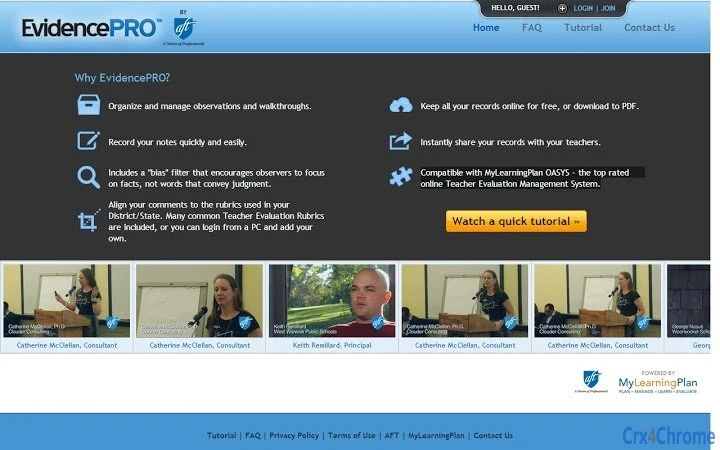
EvidencePRO is a desktop application designed to support educators and administrators in organizing, recording, and managing classroom observations and walkthroughs. The software streamlines the evaluation process by enabling users to document findings quickly and efficiently, with a strong emphasis on factual, objective reporting. A built-in bias filter helps observers focus on observable behaviors rather than subjective interpretations, promoting fairness and consistency in teacher evaluations. The tool aligns with common district and state-level teacher evaluation rubrics, offering preloaded templates for immediate use or the ability to customize rubrics via a linked PC interface. This makes it particularly valuable for school districts seeking standardized, data-driven feedback systems. Real-world use cases include post-observation debriefs, professional development planning, and compliance reporting. The application integrates with MyLearningPlan OASYS, a widely used online teacher evaluation management system, enhancing workflow continuity across platforms. While the software is available for free, users can access additional features through the web-based OASYS platform.
Key Features & Capabilities
- Observation and Walkthrough Management – Enables users to record real-time notes during classroom visits, capturing key moments and behaviors without disrupting the teaching environment.
- Bias Filter for Objective Reporting – Encourages users to describe actions factually, minimizing subjective language and promoting equitable evaluation practices.
- Preloaded Evaluation Rubrics – Includes widely used teacher evaluation frameworks aligned with district and state standards, allowing for immediate adoption and consistent scoring.
- Custom Rubric Creation – Users can log in from a PC to create and upload personalized rubrics, supporting unique district or school-specific assessment needs.
- Cloud Storage and PDF Export – All records are stored online at no cost, with the option to download observations as PDFs for offline access or archival purposes.
- Instant Sharing with Teachers – Observations can be shared directly with educators, facilitating timely feedback and collaborative improvement planning.
- Integration with MyLearningPlan OASYS – Seamlessly connects with the OASYS platform, allowing for unified data management across desktop and web environments.
User Interface, Workflow & Performance
The user interface of EvidencePRO is designed with simplicity and efficiency in mind, prioritizing quick note-taking during observations. Navigation is straightforward, with clearly labeled sections for recording, reviewing, and exporting data. The workflow follows a logical sequence: initiate an observation, input notes using the bias-filtered input field, select a rubric, and then save or share the record. The application appears optimized for minimal disruption during classroom visits, supporting rapid data entry without requiring extensive training. While specific performance metrics such as CPU or RAM usage were not provided, the compact size of 1.2 MB suggests lightweight operation across various hardware configurations. The developer did not specify resource usage details. Stability and responsiveness are expected to be consistent based on the application’s minimal footprint and focus on core functionality. The software operates without requiring constant internet access, though online features like cloud storage and integration with OASYS depend on connectivity.
Compatibility & System Requirements
EvidencePRO is compatible with Windows, Mac, and Linux operating systems, making it accessible to a broad range of educational institutions and users. The software has a lightweight installation size of 1.2 MB, indicating minimal disk space requirements. The developer did not provide additional system requirements, such as minimum RAM, processor speed, or storage space. Compatibility information was partially provided, with no mention of specific hardware dependencies or version constraints beyond the operating systems listed. Users should ensure their devices meet standard desktop computing requirements for running modern applications. The application is designed to function as a standalone tool, with optional synchronization to the MyLearningPlan OASYS web platform. For optimal experience, users are advised to maintain a stable internet connection when accessing cloud-based features.
Pros and Cons
Pros
- Free to download and use, with no hidden costs
- Lightweight design (1.2 MB) ensures fast installation and low system impact
- Includes built-in bias filter to support objective, fact-based evaluations
- Preloaded rubrics align with common district and state standards
- Seamless integration with MyLearningPlan OASYS for unified data management
- Ability to export records as PDFs for offline use or archiving
- Supports cross-platform use across Windows, Mac, and Linux
Cons
- Exact performance details were not specified
- Advanced features require access to the web-based OASYS platform
- Offline functionality may be limited without cloud integration
- System requirements were not fully disclosed
- Dependence on internet connectivity for cloud storage and sharing
FAQ Section
Is EvidencePRO compatible with my operating system?
EvidencePRO is compatible with Windows, Mac, and Linux systems. Users on any of these platforms can install and run the application without compatibility issues.
Is the software secure and safe to use?
While specific security details were not provided, the software is developed by MyLearningPlan, a company focused on education technology. The application operates locally on the user’s device, with data stored securely online when using cloud features.
Can I update EvidencePRO automatically?
Automatic update functionality was not specified. Users should check the developer’s website or platform for the latest version and manual update instructions.
What type of license does EvidencePRO use?
EvidencePRO is offered as free software with no licensing fees. Users are encouraged to use the application within the intended educational context.
Can I use EvidencePRO offline?
Yes, the application can be used offline for note-taking and recording observations. However, features like cloud storage, sharing, and integration with OASYS require an active internet connection.
Final Thoughts + CTA
EvidencePRO stands out as a focused, user-friendly tool tailored for educators and administrators involved in teacher evaluation processes. Its emphasis on factual documentation, built-in bias mitigation, and alignment with standard rubrics enhances the reliability and fairness of classroom observations. The seamless integration with MyLearningPlan OASYS strengthens its utility within larger evaluation ecosystems. While some technical details remain unspecified, the software’s lightweight design and cross-platform availability make it accessible and practical for schools across diverse environments. For districts seeking a free, efficient solution to manage observations and support professional growth, EvidencePRO delivers strong value. Download EvidencePRO now.







